Bug Report - Copying and Pasting Takeoff to Another Sheet Moves Existing Takeoff

Paul Wilson
Measure Desktop
V17.2 Build 4752
Bug is repeatable.
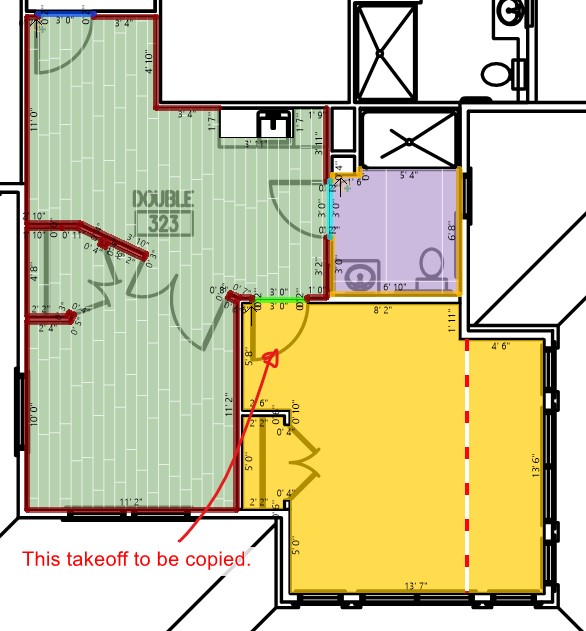
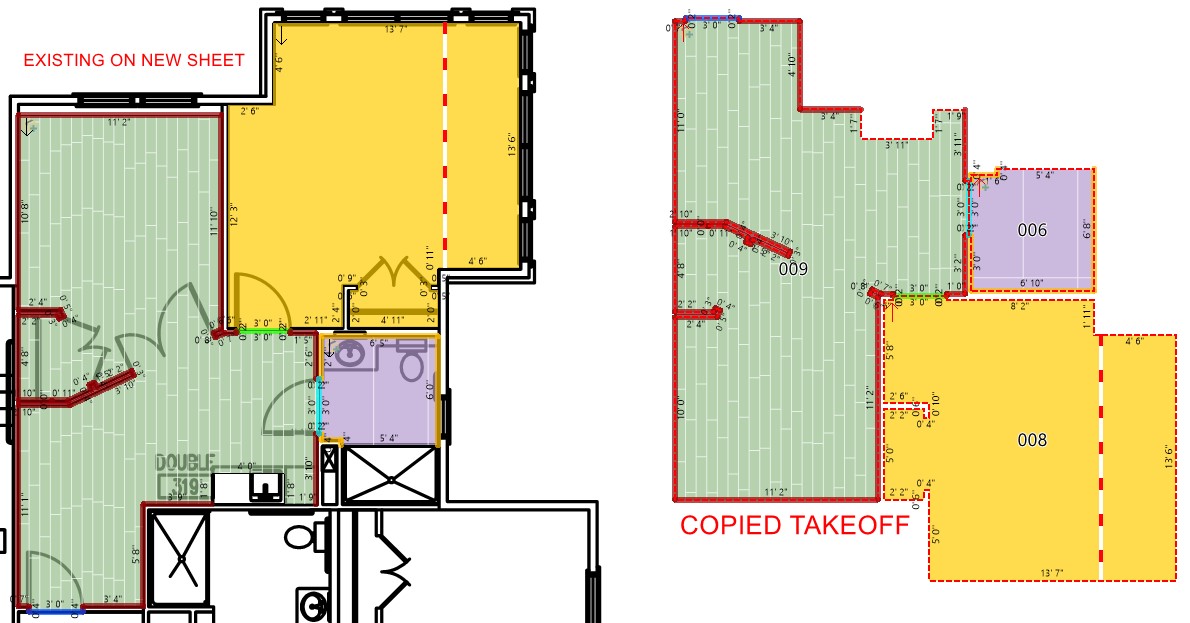
In this scenario, you would like to compare takeoff on one sheet with another to see if there are any differences.
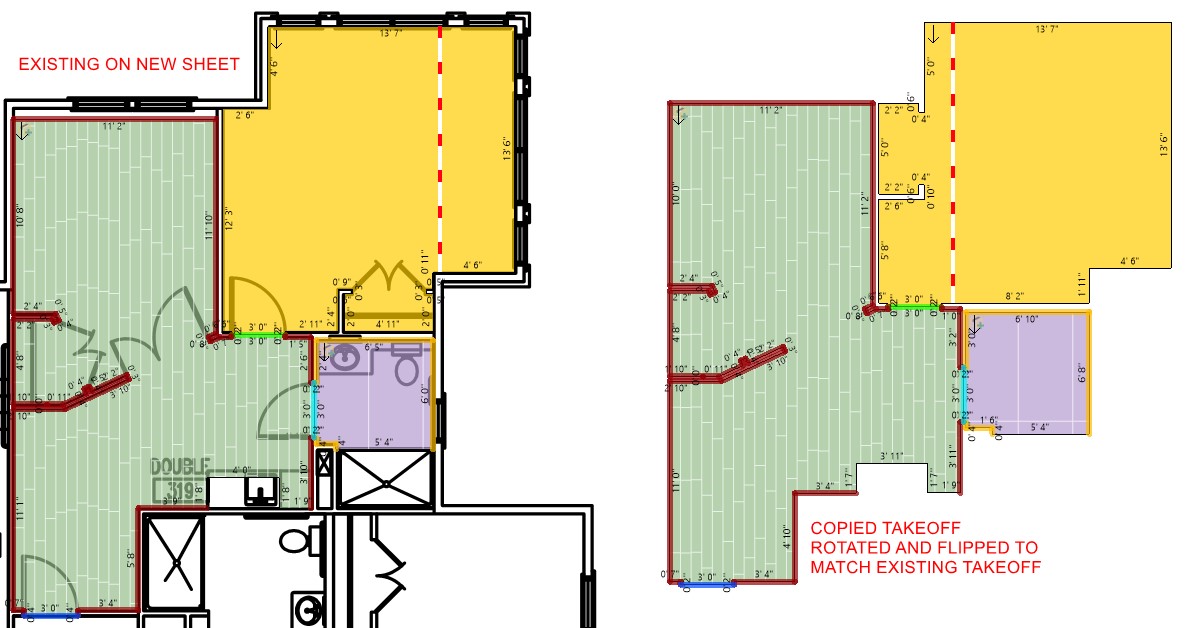
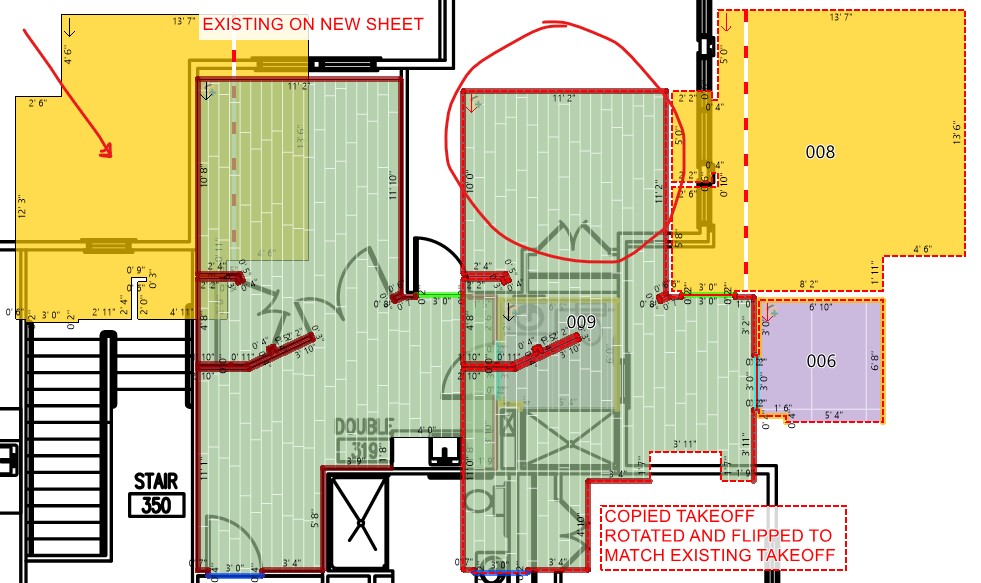
Copy the takeoff and paste it to the desired sheet. If you manipulate it in any way (rotate/flip) and then drag it over the existing area, when you drag it, a portion of the existing area moves.
Fix: CTRL-Z to undo the drag and then remove the pasted takeoff.
Comments
Please sign in to leave a comment.